Update the SDK once
Replace your old CJS file with the updated download, or install the offline npm SDK update included in the full package. Keep your existing connection code.
See your collections. Run a query.
Work with your database in one familiar workspace.
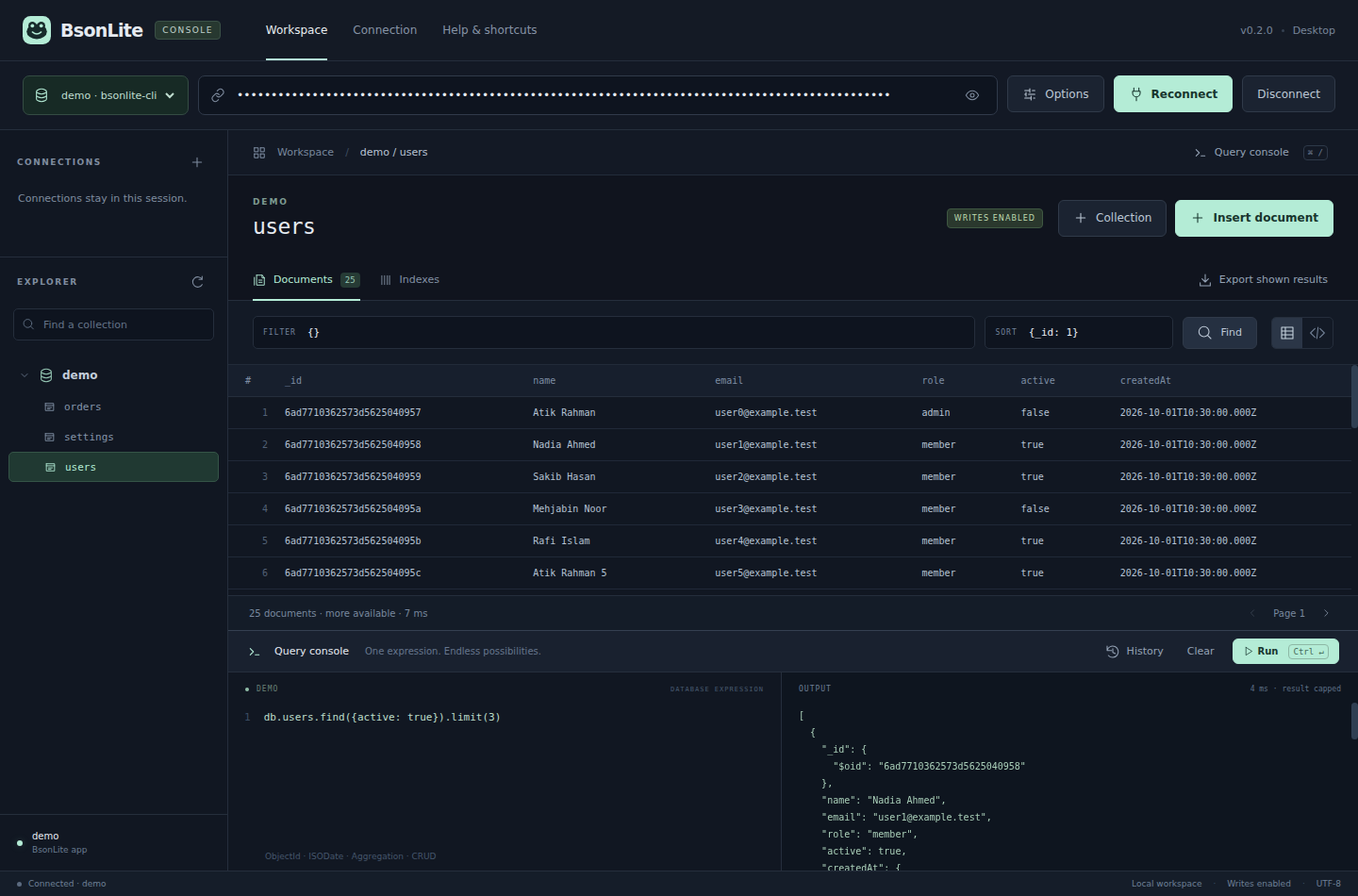
Replace your old CJS file with the updated download, or install the offline npm SDK update included in the full package. Keep your existing connection code.
Leave your app running under the same Windows account. Console finds its database and fills the connection URL automatically.
Choose a running database, then browse its collections. Use Options to enable writes when you need to insert, update or delete.
Collection explorer, document table and JSON views, filters, sort, pagination, indexes and collection creation. Export the currently shown query result as Extended JSON.
Use the integrated query console for supported CRUD, indexes and aggregation. BSON types such as ObjectId, ISODate and NumberLong are supported.
Automatic app connections are the easiest route. You can also enter your own authorized server URL, select a database and supply CA/client certificate files in Options.
Install the supplied CLI tarball from the extracted Console ZIP. With one running updated app, bsonlite connects automatically; with several, choose from the list.
npm install -g ./packages/bsonlite-cli-0.2.0.tgz
bsonliteshow collections
// Run each expression separately:
db.users.find({ active: true }).limit(25)
db.users.insertOne({ name: "Atik", createdAt: ISODate() })CLI writes require bsonlite --write. In the GUI, turn off Read-only in Options and apply/reconnect. The interpreter accepts one expression at a time; it is not a general JavaScript shell.
Automatic discovery works for running SDK apps under the same OS account. It does not scan all database folders or open stopped apps. An older SDK cannot announce itself automatically. For multiple apps, use the dropdown.
The SDK publishes a token-protected loopback endpoint through a private per-user session record. Do not share that connection URL publicly. Closing Console leaves the owning app running. Applications can disable Console access with BSONLITE_CONSOLE=0 or console: false.
Direct server URLs use the bundled driver and the server’s permissions. Feature availability follows the actual engine/version. See compatibility, validation and the build guide.